
HOW TO ACCESS THE CWU MEMBER PORTAL
Accessing the CWU Member Portal
You must already be a CWU member to be able to sign in or sign up to the CWU member portal.
If you are not yet a member, you can follow this link to sign up now... Join the CWU
Through the CWU Member Portal you will be able to:
- View your branch contact details
- Keep your personal details up to date
- View and amend your death benefit nominee
- Check your political levy status - opt in/opt out
- Access CWU member benefits
The first step to access the CWU Member Portal
Use the following link
https://www.cwu.org/cwu-member-portal/
or on Google search for CWU Member Portal
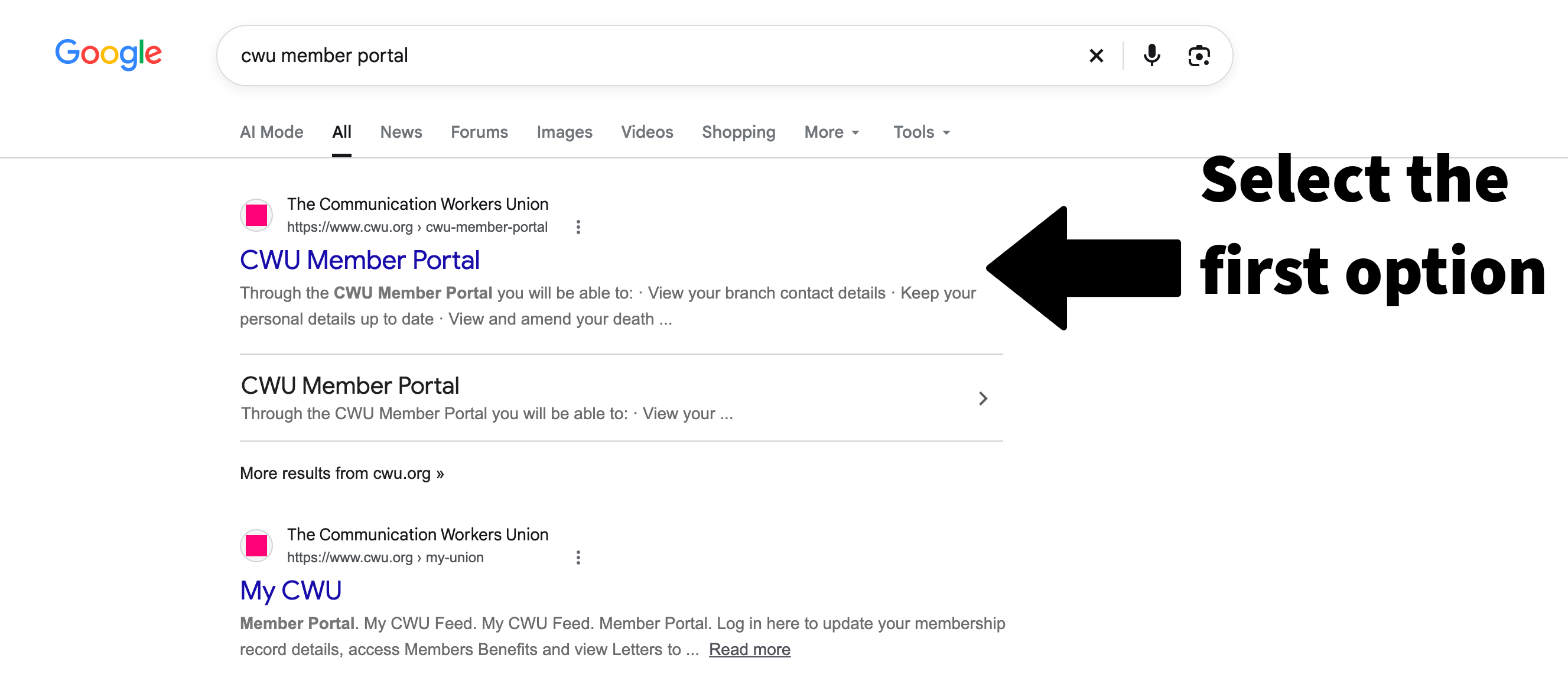
You'll then be presented with this page...
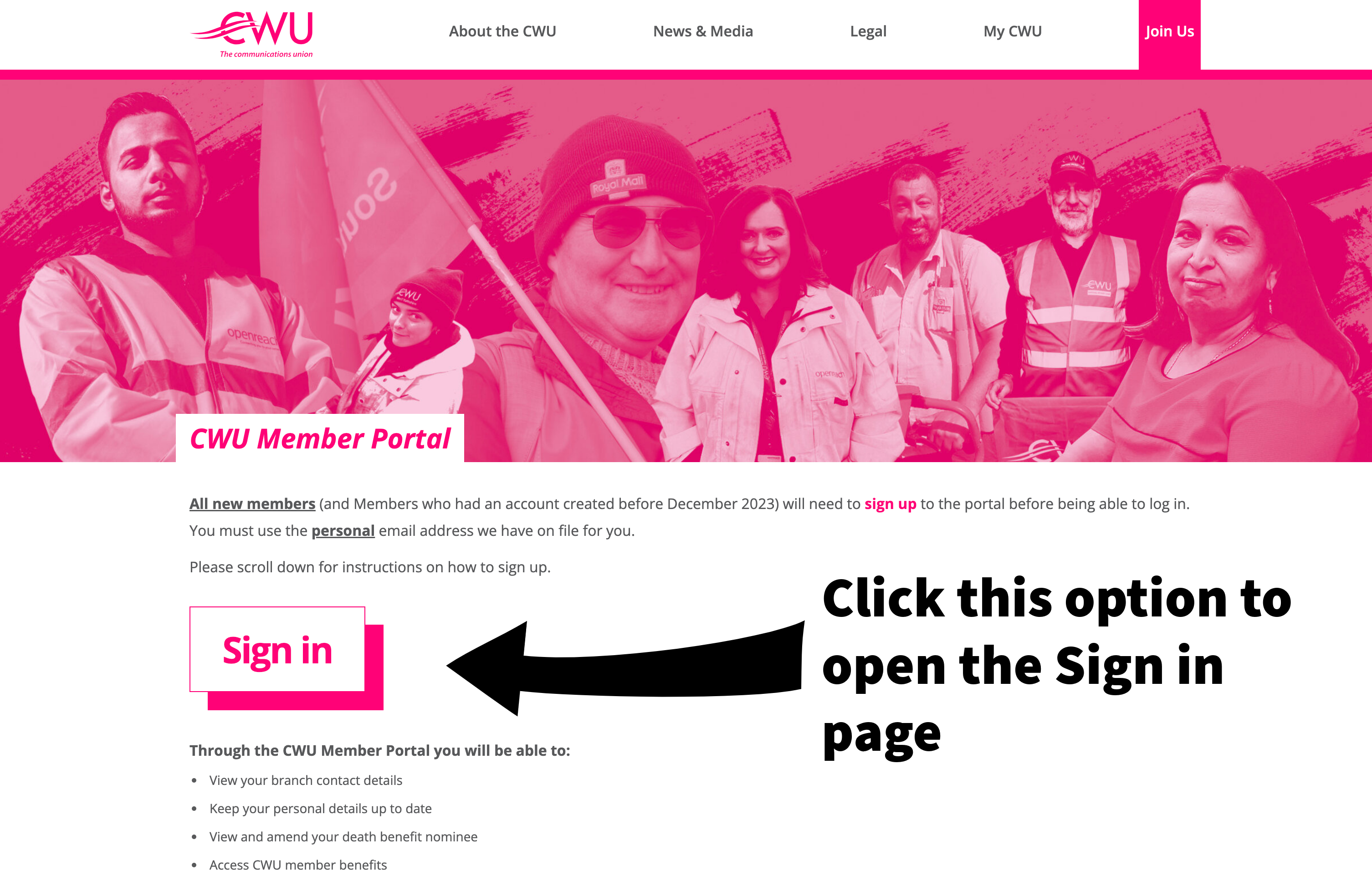
On the next page...
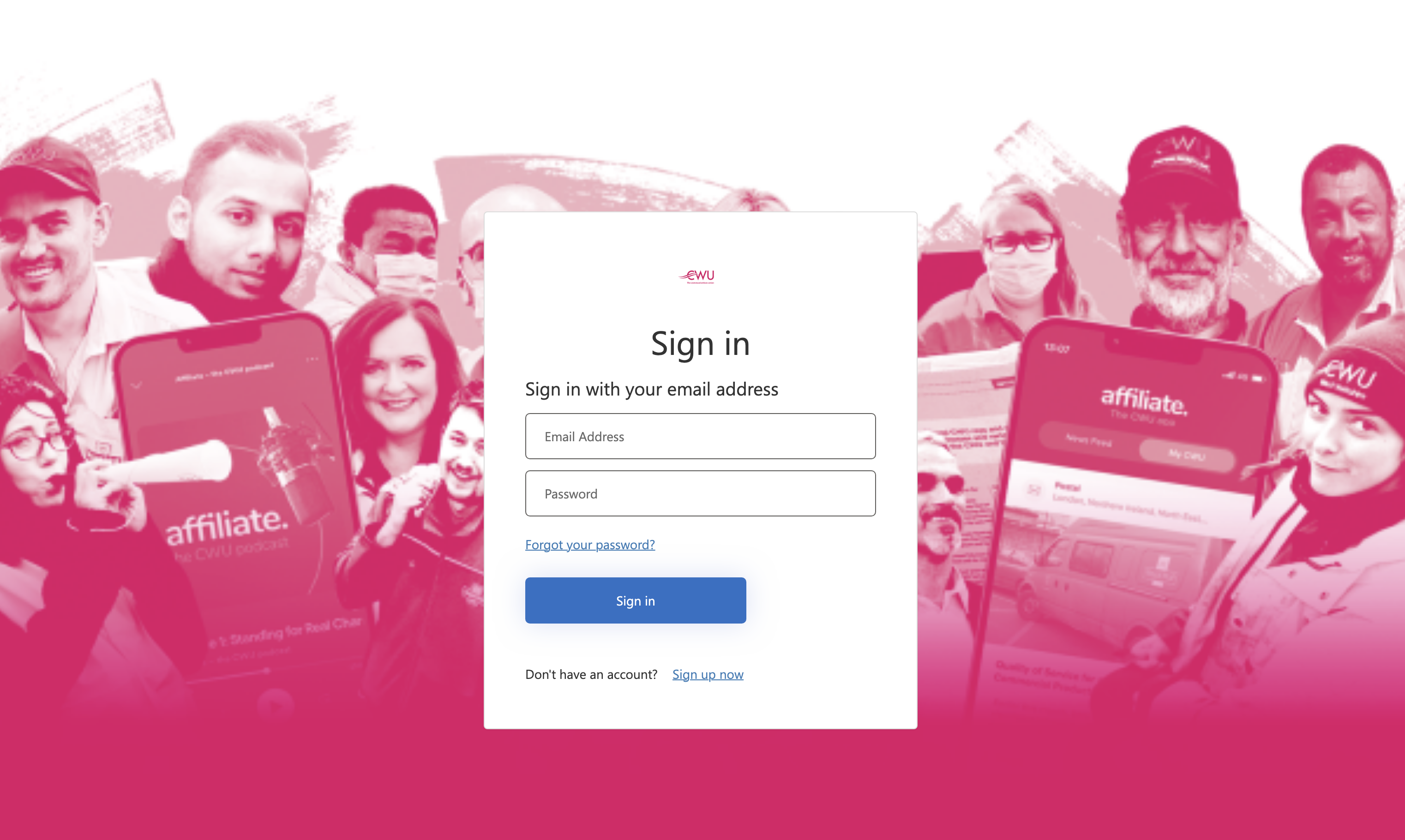
If you have signed in more recently than December 2023, enter your registered email address and password, then click Sign in.
If you have forgotten your password, click on the Forgot your Password? option and follow the prompts to reset your password.
For everyone else, you will need to set up your account by selecting the Sign up now option in blue at the bottom of the box.
Watch this video to see what to do next...
Alternatively...
- Enter the email address that we have on record for you (the one we email you to*) then click “Send verification code”
- Go to your email inbox and copy the code
- Go back to the portal and enter the verification code. Click “Verify code”
- Enter your new password and then click “Create”
- You will now have access to the CWU member portal